How to Deploy Notifuse on a VPS with Docker and Traefik
Learn how to deploy Notifuse on Ubuntu or Debian VPS using Docker, PostgreSQL, Traefik, domain routing, SSL, and persistent volumes

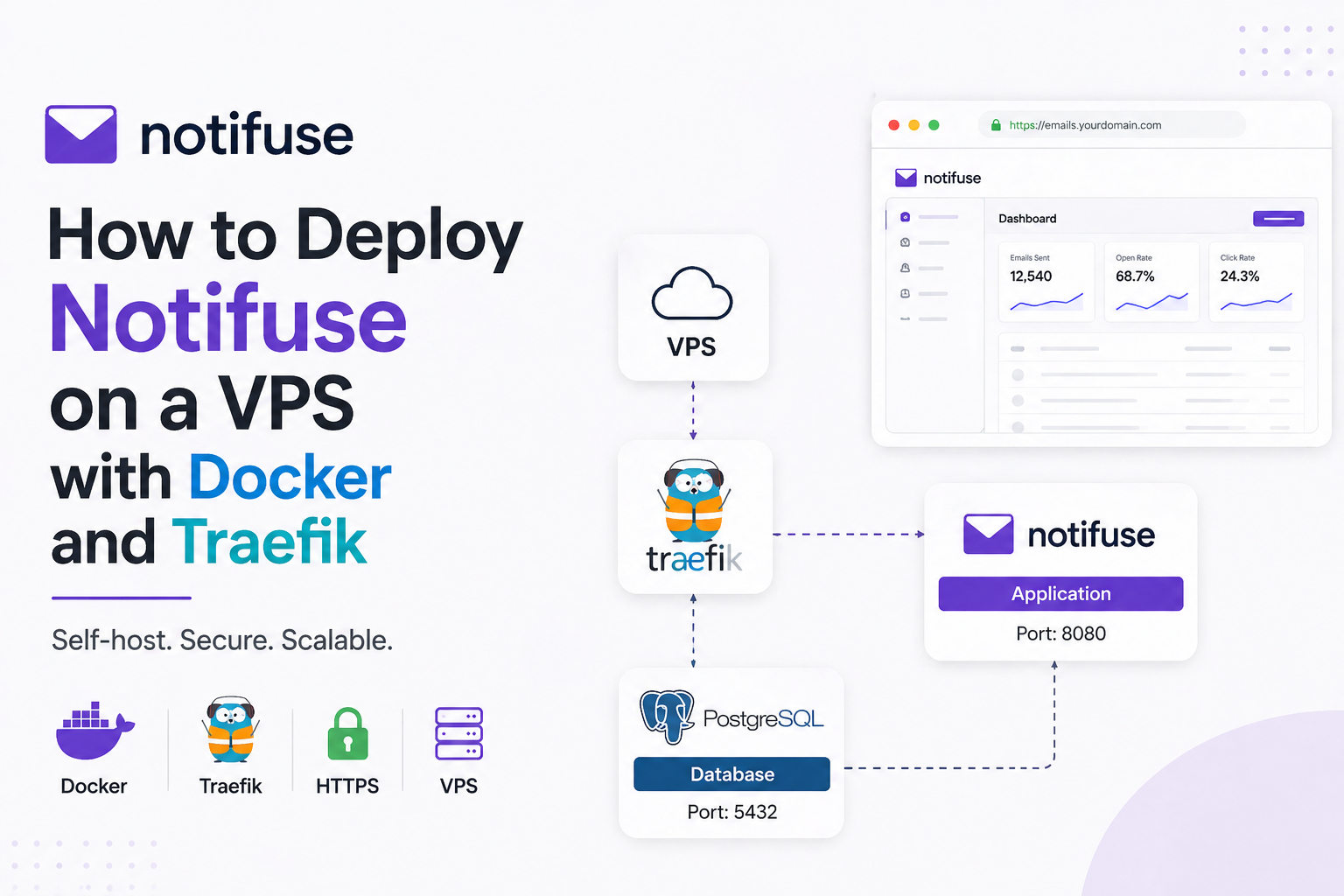
If you want to self-host Notifuse on Ubuntu or Debian with your own domain, the cleanest setup is Docker Compose, PostgreSQL, persistent volumes, and Traefik for HTTPS routing. This gives you a production-style deployment that works on AWS, GCP, Vultr, Hetzner, DigitalOcean, or almost any VPS.
The short answer: install Docker on your VPS, create a separate Traefik reverse proxy stack, deploy Notifuse in its own folder with PostgreSQL and persistent storage, then connect both stacks through a shared Docker network. Notifuse provides a setup wizard on first launch, but production deployments should keep sensitive values like SECRET_KEY, database credentials, and SMTP credentials in environment variables. (Notifuse Documentation)
Why This Problem Exists
Notifuse is simple to run, but production hosting needs more than a single docker run command. The application needs a PostgreSQL database, a public API endpoint, SMTP configuration, and stable storage so your workspaces and email settings survive container restarts. The official Notifuse documentation recommends Docker Compose for testing and standalone Docker with your own PostgreSQL database for production-style deployments. (Notifuse Documentation)
The most common mistake is exposing the app directly on a random port like 8081 and then trying to add SSL later. That works for testing, but it becomes messy when you want https://emails.yourdomain.com, multiple apps on the same VPS, automatic Let’s Encrypt certificates, and clean routing.
Traefik solves that part. It watches Docker containers and uses labels to create routing rules, which means you can map a domain to a container without manually editing Nginx config every time. Traefik’s Docker integration is designed around labels and controlled exposure of services. (doc.traefik.io)
The Solution — VPS Notifuse with Docker, PostgreSQL and Traefik
This setup uses two folders. One folder runs Traefik globally for your server. Another folder runs Notifuse and PostgreSQL. Both connect through one shared Docker network called traefik_proxy.
The final structure looks like this:
/opt/traefik
  docker-compose.yml
  letsencrypt/acme.json

/opt/notifuse
  docker-compose.yml
  .env
  data/
Step 1 is to install Docker on Ubuntu or Debian. Docker’s official documentation supports Docker Engine installation through the apt repository on both Debian and Ubuntu, and Debian support includes Bookworm 12 and Bullseye 11. (Docker Documentation)
sudo apt update
sudo apt install -y ca-certificates curl gnupg
For Ubuntu:
sudo install -m 0755 -d /etc/apt/keyrings
curl -fsSL https://download.docker.com/linux/ubuntu/gpg | sudo gpg --dearmor -o /etc/apt/keyrings/docker.gpg

echo \
  "deb [arch=$(dpkg --print-architecture) signed-by=/etc/apt/keyrings/docker.gpg] https://download.docker.com/linux/ubuntu \
  $(. /etc/os-release && echo "$VERSION_CODENAME") stable" | \
  sudo tee /etc/apt/sources.list.d/docker.list > /dev/null
For Debian:
sudo install -m 0755 -d /etc/apt/keyrings
curl -fsSL https://download.docker.com/linux/debian/gpg | sudo gpg --dearmor -o /etc/apt/keyrings/docker.gpg

echo \
  "deb [arch=$(dpkg --print-architecture) signed-by=/etc/apt/keyrings/docker.gpg] https://download.docker.com/linux/debian \
  $(. /etc/os-release && echo "$VERSION_CODENAME") stable" | \
  sudo tee /etc/apt/sources.list.d/docker.list > /dev/null
Then install Docker:
sudo apt update
sudo apt install -y docker-ce docker-ce-cli containerd.io docker-buildx-plugin docker-compose-plugin

sudo systemctl enable docker
sudo systemctl start docker
Now create the shared network:
docker network create traefik_proxy
Set Up Traefik for Domain and SSL
Traefik should run separately because you can reuse it later for more apps like n8n, Listmonk, Ghost, Uptime Kuma, or internal dashboards.
Create the folder:
sudo mkdir -p /opt/traefik/letsencrypt
cd /opt/traefik
sudo touch letsencrypt/acme.json
sudo chmod 600 letsencrypt/acme.json
Create the Traefik compose file:
sudo nano docker-compose.yml
Paste this:
services:
  traefik:
    image: traefik:v3.0
    container_name: traefik
    restart: unless-stopped
    command:
      - "--api.dashboard=true"
      - "--providers.docker=true"
      - "--providers.docker.exposedbydefault=false"
      - "--entrypoints.web.address=:80"
      - "--entrypoints.websecure.address=:443"
      - "--certificatesresolvers.letsencrypt.acme.email=admin@yourdomain.com"
      - "--certificatesresolvers.letsencrypt.acme.storage=/letsencrypt/acme.json"
      - "--certificatesresolvers.letsencrypt.acme.httpchallenge=true"
      - "--certificatesresolvers.letsencrypt.acme.httpchallenge.entrypoint=web"
    ports:
      - "80:80"
      - "443:443"
    networks:
      - traefik_proxy
    volumes:
      - /var/run/docker.sock:/var/run/docker.sock:ro
      - ./letsencrypt:/letsencrypt

networks:
  traefik_proxy:
    external: true
Replace [email protected] with your real email.
Start Traefik:
docker compose up -d
Before moving ahead, point your DNS record to the VPS:
Type: A
Name: emails
Value: YOUR_SERVER_IP
Your final Notifuse URL will be:
https://emails.yourdomain.com
Deploy Notifuse in a Separate Folder
Now create a separate folder for Notifuse:
sudo mkdir -p /opt/notifuse/data
cd /opt/notifuse
Generate a strong secret key:
openssl rand -base64 32
Notifuse warns that SECRET_KEY must never be changed after initial setup because it encrypts workspace integration secrets such as SMTP passwords and provider API keys. Changing it later can permanently break encrypted credentials. (Notifuse Documentation)
Create your .env file:
sudo nano .env
Use this:
SERVER_PORT=8080
SERVER_HOST=0.0.0.0
ENVIRONMENT=production

DB_HOST=postgres
DB_PORT=5432
DB_USER=postgres
DB_PASSWORD="change-this-strong-password"
DB_PREFIX=notifuse
DB_NAME=notifuse_system
DB_SSLMODE=disable

SECRET_KEY="paste-your-generated-secret-key-here"

[email protected]
API_ENDPOINT=https://emails.yourdomain.com

SMTP_HOST=smtp.yourprovider.com
SMTP_PORT=587
[email protected]
SMTP_PASSWORD="your-smtp-password"
[email protected]
SMTP_FROM_NAME=Your Company Name
If your password contains #, keep it inside quotes. Notifuse specifically documents this because .env files can truncate unquoted values after #. (Notifuse Documentation)
Now create the Notifuse Docker Compose file:
sudo nano docker-compose.yml
Paste this production-friendly version:
services:
  api:
    image: notifuse/notifuse:latest
    container_name: notifuse_api
    restart: unless-stopped
    environment:
      - SERVER_PORT=${SERVER_PORT:-8080}
      - SERVER_HOST=${SERVER_HOST:-0.0.0.0}
      - ENVIRONMENT=${ENVIRONMENT:-production}

      - DB_HOST=${DB_HOST:-postgres}
      - DB_PORT=${DB_PORT:-5432}
      - DB_USER=${DB_USER:-postgres}
      - DB_PASSWORD=${DB_PASSWORD:-postgres}
      - DB_PREFIX=${DB_PREFIX:-notifuse}
      - DB_NAME=${DB_NAME:-notifuse_system}
      - DB_SSLMODE=${DB_SSLMODE:-disable}

      - SECRET_KEY=${SECRET_KEY}

      - ROOT_EMAIL=${ROOT_EMAIL}
      - API_ENDPOINT=${API_ENDPOINT}

      - SMTP_HOST=${SMTP_HOST}
      - SMTP_PORT=${SMTP_PORT}
      - SMTP_USERNAME=${SMTP_USERNAME}
      - SMTP_PASSWORD=${SMTP_PASSWORD}
      - SMTP_FROM_EMAIL=${SMTP_FROM_EMAIL}
      - SMTP_FROM_NAME=${SMTP_FROM_NAME}

    depends_on:
      postgres:
        condition: service_healthy

    volumes:
      - ./data:/app/data

    networks:
      - notifuse-network
      - traefik_proxy

    labels:
      - "traefik.enable=true"
      - "traefik.http.routers.notifuse.rule=Host(`emails.yourdomain.com`)"
      - "traefik.http.routers.notifuse.entrypoints=websecure"
      - "traefik.http.routers.notifuse.tls.certresolver=letsencrypt"
      - "traefik.http.services.notifuse.loadbalancer.server.port=8080"

      - "traefik.http.routers.notifuse-http.rule=Host(`emails.yourdomain.com`)"
      - "traefik.http.routers.notifuse-http.entrypoints=web"
      - "traefik.http.routers.notifuse-http.middlewares=notifuse-https"
      - "traefik.http.middlewares.notifuse-https.redirectscheme.scheme=https"

    healthcheck:
      test: ["CMD", "wget", "--no-verbose", "--tries=1", "--spider", "http://localhost:8080/healthz"]
      interval: 10s
      timeout: 5s
      retries: 3
      start_period: 10s

  postgres:
    image: postgres:17-alpine
    container_name: notifuse_postgres
    restart: unless-stopped
    environment:
      - POSTGRES_USER=${DB_USER:-postgres}
      - POSTGRES_PASSWORD=${DB_PASSWORD:-postgres}
      - POSTGRES_DB=${DB_NAME:-notifuse_system}
    volumes:
      - postgres-data:/var/lib/postgresql/data
    networks:
      - notifuse-network
    healthcheck:
      test: ["CMD-SHELL", "pg_isready -U ${DB_USER:-postgres}"]
      interval: 5s
      timeout: 5s
      retries: 5

volumes:
  postgres-data:
    driver: local

networks:
  notifuse-network:
    driver: bridge
  traefik_proxy:
    external: true
Change emails.yourdomain.com to your real domain in both Traefik labels.
Start Notifuse:
docker compose up -d
Check logs:
docker compose logs -f api
Visit:
https://emails.yourdomain.com
You should see the Notifuse Setup Wizard. The wizard lets you configure root admin email, API endpoint, and SMTP settings through the web interface, although environment variables always take priority when present. (Notifuse Documentation)
Why This Setup Works Better Than a Basic Docker Run
This setup is better because it separates routing, application logic, database storage, and secrets. A single docker run command is fine for testing, but it becomes harder to maintain when SSL, domain routing, backup, and updates are involved.
| Setup | Best For | SSL | Database Persistence | Scaling |
|---|---|---|---|---|
| Docker Compose with embedded PostgreSQL | Testing and small demos | Manual unless proxied | Yes, if volume configured | Basic |
| Standalone Docker only | Quick production test | Manual unless proxied | Depends on external DB | Medium |
| Docker Compose with Traefik and PostgreSQL | VPS production setup | Automatic Let’s Encrypt | Yes | Strong |
| Kubernetes | Large infrastructure teams | Ingress-based | Requires storage class | Advanced |
For most VPS deployments, Docker Compose plus Traefik is the best balance. It is simple enough to maintain but structured enough for real production use.
Common Mistakes and How to Avoid Them
The most common mistake we see is exposing PostgreSQL publicly. In your compose file, avoid this unless you absolutely need remote database access:
ports:
  - "5433:5432"
For a normal single-server deployment, PostgreSQL should stay private inside the Docker network. Your Notifuse API can talk to it internally using DB_HOST=postgres.
Another mistake is changing SECRET_KEY after setup. Don’t do that. Treat it like a database encryption master key. Back it up somewhere secure.
A third mistake is mixing multiple reverse proxies. If Traefik is already listening on ports 80 and 443, don’t install Nginx or Caddy on the same ports unless you know exactly what you’re doing.
The final mistake is forgetting DNS. Traefik can only issue SSL certificates when your domain points to the server and ports 80 and 443 are open.
Real-World Example
A clean Notifuse VPS deployment usually takes 30–45 minutes when DNS is ready. In one Hitori Tech-style setup, the app ran on a Hetzner VPS with Traefik already handling Ghost, Listmonk, and n8n. Adding Notifuse only required a new folder, a new compose file, one shared Docker network, and a domain label.
The result was simple: https://emails.clientdomain.com routed to Notifuse, PostgreSQL stayed private, SSL renewed automatically, and future updates only required:
cd /opt/notifuse
docker compose pull
docker compose up -d
That is the real benefit of this structure. You can add more apps later without rebuilding your server from scratch.
Frequently Asked Questions
What is the best way to deploy Notifuse on a VPS?
The best VPS setup is Docker Compose with PostgreSQL, persistent volumes, and Traefik for HTTPS domain routing. This keeps the database private, gives you automatic SSL, and makes updates easier.
Can I install Notifuse on Ubuntu and Debian?
Yes, Notifuse can run on both Ubuntu and Debian as long as Docker Engine and Docker Compose are installed. Docker officially supports installation through apt repositories for both distributions. (Docker Documentation)
Do I need Traefik for Notifuse?
You don’t strictly need Traefik, but it is highly useful when hosting Notifuse on a real domain. Traefik handles HTTPS, redirects HTTP to HTTPS, and routes traffic from your domain to the Notifuse container.
Should PostgreSQL be exposed with a public port?
No, PostgreSQL should usually stay private inside the Docker network. Exposing database ports publicly increases risk and is unnecessary when Notifuse and PostgreSQL run on the same VPS.
What happens if I change the Notifuse SECRET_KEY?
Changing SECRET_KEY after setup can permanently break encrypted workspace secrets, including SMTP passwords and email provider API keys. Generate it once, store it safely, and do not rotate it casually.
Can I use the Notifuse Setup Wizard instead of environment variables?
Yes, the Setup Wizard is useful for first-time setup and non-sensitive configuration. For production, sensitive values like database credentials, SMTP passwords, and SECRET_KEY should be managed with environment variables.
If you’re already self-hosting tools like n8n, Ghost, Listmonk, or internal dashboards, this Notifuse setup fits naturally into the same VPS architecture. Keep Traefik as your shared entry point, keep every app in its own folder, and keep databases private unless there is a clear reason to expose them.
For help building production-ready Docker, Traefik, and automation stacks, explore Hitori Tech’s DevOps services at https://hitoritech.com/digital-agency or contact the team at https://hitoritech.com/contact.