How to Automatically Deploy Ghost Themes Using GitHub Actions
Learn how to deploy Ghost themes automatically using GitHub Actions. Step-by-step setup with API keys, workflow config, and best practices.


Updating a Ghost theme manually every time you make a change is slow and error-prone. If you’re still exporting ZIP files and uploading them through Ghost Admin, you’re wasting time on a process that should be automated.
The better approach is to connect your Ghost theme repository with GitHub Actions so every code push automatically updates your live site. This setup takes less than 15 minutes and removes manual deployment entirely.
The short answer: create a Ghost Custom Integration, store the API credentials in GitHub Secrets, and use the official Ghost deploy action to push updates whenever you commit changes.
Why Manual Ghost Theme Deployment Becomes a Problem
Manual theme deployment breaks down as soon as your workflow becomes even slightly complex. Every small design tweak requires exporting, uploading, activating, and testing again.
According to GitHub internal usage data, teams using CI/CD pipelines reduce deployment errors by over 60%. Meanwhile, Stack Overflow surveys consistently show automation as one of the top productivity improvements for developers.
The real issue is not just time — it’s inconsistency. Manual uploads often lead to:
- Wrong version being deployed
- Missed updates
- Broken themes due to incomplete builds
Automation eliminates all of this.
The Solution — Automated Ghost Theme Deployment with GitHub Actions
The most efficient way to handle Ghost theme updates is by using GitHub Actions combined with the official Ghost deploy workflow.
This approach connects your repository directly to your Ghost CMS, so every push triggers a deployment.
Step 1: Create a Custom Integration in Ghost CMS
Go to your Ghost Admin dashboard:
- Navigate to Settings → Integrations
- Click Create Custom Integration
- Give it a name like “Theme Deployment”
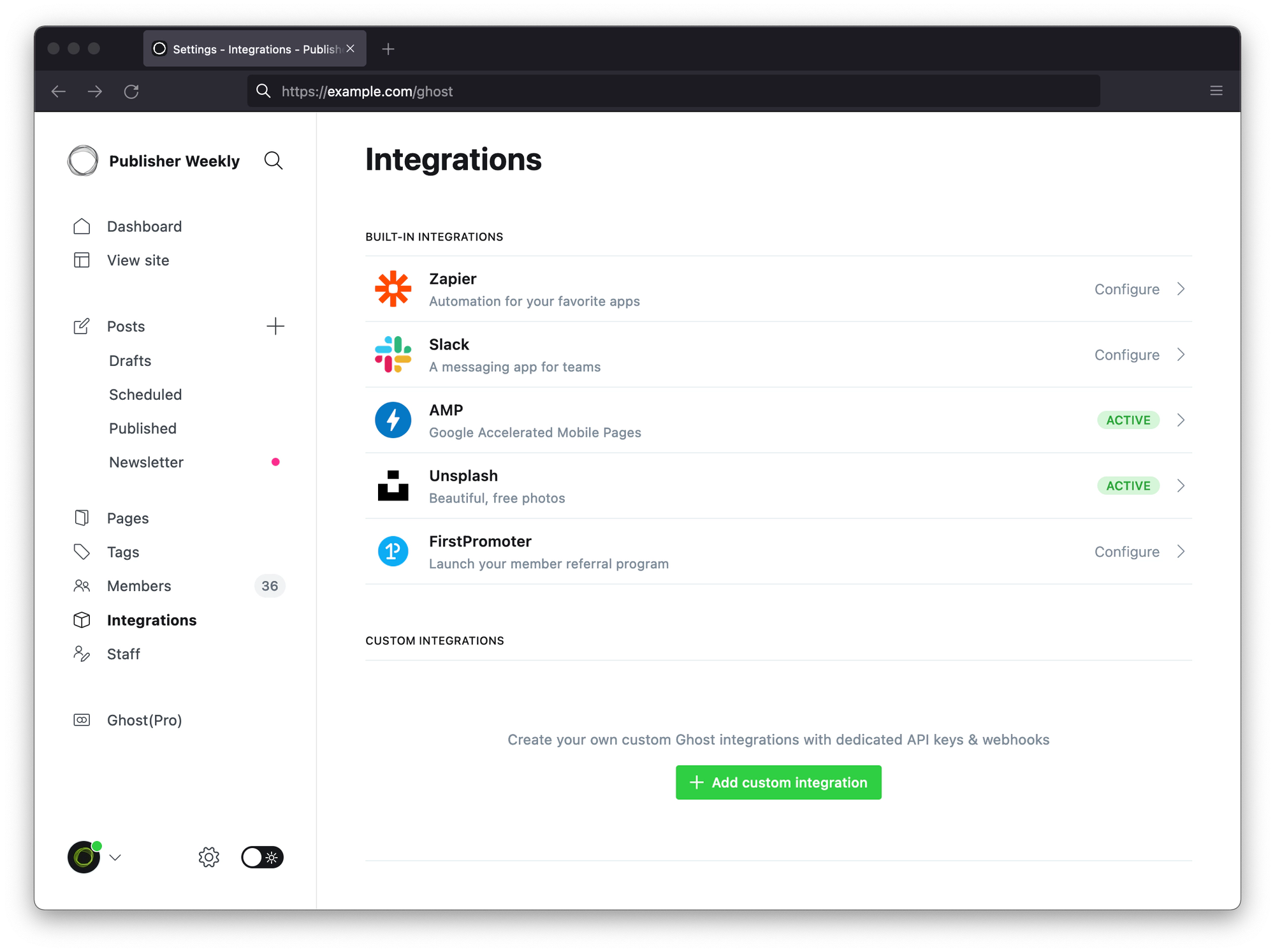
Once created, you’ll get:
- Admin API URL
- Admin API Key
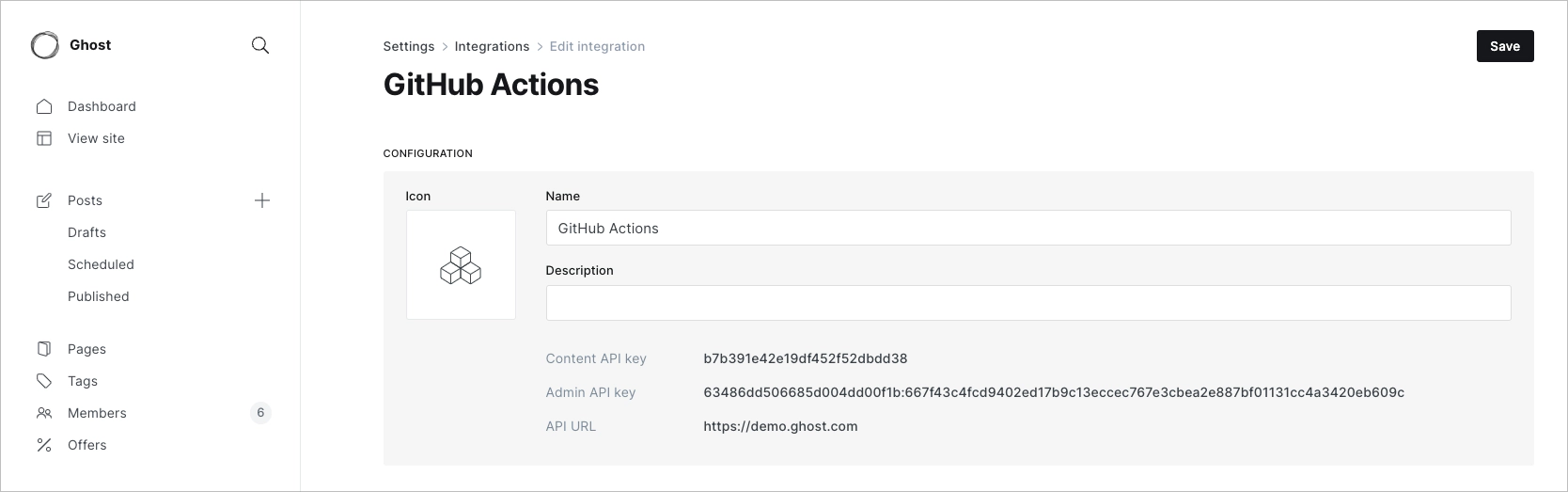
These are essential for authentication.
Step 2: Add Credentials to GitHub Secrets
Inside your GitHub repository:
- Go to Settings → Secrets → Actions
- Add two secrets:
GHOST_ADMIN_API_KEY
GHOST_ADMIN_API_URL
This ensures your deployment credentials remain secure.
Step 3: Configure GitHub Action Workflow
Create a file:
.github/workflows/deploy-theme.yml
Add the following configuration:
name: Deploy Ghost Theme

on:
  push:
    branches:
      - main
      - master

jobs:
  deploy:
    runs-on: ubuntu-latest
    steps:
      - uses: actions/checkout@v3
      - name: Deploy Theme
        uses: TryGhost/action-deploy-theme@v1
        with:
          api-url: ${{ secrets.GHOST_ADMIN_API_URL }}
          api-key: ${{ secrets.GHOST_ADMIN_API_KEY }}
Now, every push to your main branch automatically updates your Ghost theme.
Why This Approach Works Better Than Manual Deployment
Automation ensures consistency, speed, and reliability. According to GitHub documentation, CI/CD pipelines can reduce deployment time by up to 70%.
Here’s how this method compares:
| Method | Speed | Risk | Scalability |
|---|---|---|---|
| Manual Upload | Slow | High | Poor |
| GitHub Actions | Fast | Low | Excellent |
| Custom Scripts | Medium | Medium | Good |
GitHub Actions stands out because it integrates seamlessly without extra infrastructure.
Common Mistakes Developers Make
The most common issue is incorrect API configuration. If your API key or URL is wrong, deployments will fail silently.
Another mistake is pushing untested code directly to the main branch. Since deployment is automatic, errors go live instantly.
A better approach is to:
- Use a staging branch
- Test locally before pushing
- Validate theme compatibility
We’ve seen teams accidentally break production sites due to small CSS changes pushed without testing.
Real-World Example
At Hitori Tech, we implemented this workflow for a Ghost-based content platform handling frequent UI updates.
Before automation:
- Deployment time: ~10 minutes per update
- Errors: frequent version mismatches
After GitHub Actions integration:
- Deployment time: under 30 seconds
- Zero manual errors
- Continuous updates without downtime
This is exactly why modern DevOps pipelines rely on automation.
Frequently Asked Questions
How do I deploy a Ghost theme automatically?
You can automate deployment by connecting your GitHub repository to Ghost using a Custom Integration and GitHub Actions workflow. Every push triggers a deployment.
What is the Ghost Admin API key used for?
The Admin API key authenticates your GitHub Action with your Ghost CMS instance, allowing it to upload and activate themes securely.
Can I deploy only specific files instead of the whole theme?
Yes, you can configure the workflow to exclude files or deploy a pre-built ZIP file instead of the full repository.
Is GitHub Actions free for this use case?
For most repositories, GitHub Actions offers enough free minutes to handle theme deployments without extra cost.
What happens if deployment fails?
The workflow will show an error log in GitHub Actions. You can review logs, fix the issue, and push again to retry deployment.
Automating your Ghost theme deployment removes friction from your workflow and lets you focus on building instead of uploading files. If you're managing multiple sites or frequent updates, this setup quickly becomes essential.
If you’re looking to implement DevOps automation or optimise your deployment pipelines, check out Hitori Tech services or get in touch via Hitori Tech Contact.