Critical PHP Vulnerabilities November 2026: How to Fix Them
Critical PHP vulnerabilities disclosed in November 2026. Learn affected versions, how to patch PHP, secure nginx and Apache, and protect your server.

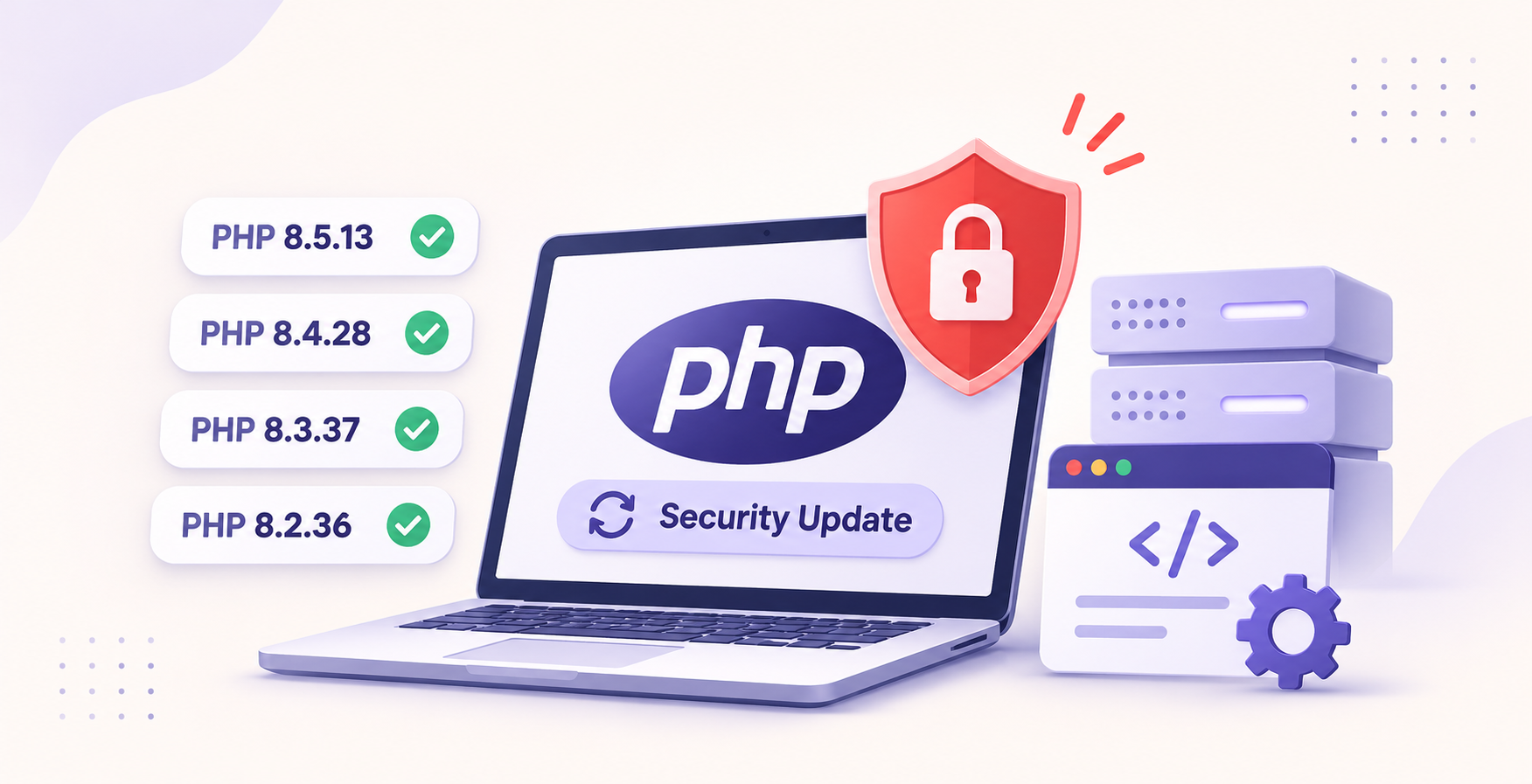
On 19 November 2026, the PHP development team released urgent security updates addressing multiple vulnerabilities, including critical remote code execution (RCE) risks. Websites running vulnerable PHP versions may be exposed to server compromise, application disruption or unauthorised code execution under certain configurations.
If you manage a WordPress website, Laravel application, VPS, cloud server or PHP Docker container, this guide explains which versions need attention, how to apply the security patches and what to do if you can't upgrade immediately.
Quick answer: Update to PHP 8.5.13, 8.4.28, 8.3.37 or 8.2.36 at minimum, depending on your existing PHP branch, then restart the relevant services. Check PHP-FPM connection reuse, session upload progress and production configuration settings. Temporary mitigations can reduce exposure, but they aren't a substitute for installing the security fixes.
The updates are documented in the official
What Happened in the November 2026 PHP Security Update?
On 19 November 2026, PHP published security updates for four actively maintained PHP 8 branches. The coordinated release addressed a collection of security issues involving session handling, PHP-FPM, memory management and exception backtraces.
The disclosure includes up to 18 vulnerabilities, with six classified as Critical and reported CVSS 4.0 scores reaching 9.2.
These findings deserve attention, but they don't mean every PHP website can be compromised automatically. Several critical vulnerabilities depend on specific PHP settings, application behaviour or unusual hosting configurations.
The highest-priority concerns include:
Vulnerability | Security issue | When to investigate |
|---|---|---|
CVE-2026-129289 | PHP-FPM request smuggling and potential RCE | FastCGI connection reuse enabled |
CVE-2026-129474 | Use-after-free in fatal error backtraces | Particularly PHP 8.5 without protective production settings |
CVE-2026-115560 | Session upload progress vulnerability | Shared session storage with inconsistent serialisation handlers |
The first issue becomes especially relevant when nginx or Apache reuses PHP-FPM connections and certain request bodies aren't fully consumed. The second involves unsafe backtrace handling, while the third concerns session data handling across applications.
Which PHP Versions Are Vulnerable?
PHP installations running versions earlier than the November security releases should be reviewed and updated unless the hosting or operating system vendor has already supplied an equivalent security backport.
PHP branch | Minimum patched release | Recommended action |
|---|---|---|
PHP 8.5 | 8.5.13 | Update immediately |
PHP 8.4 | 8.4.28 | Update immediately |
PHP 8.3 | 8.3.37 | Update immediately |
PHP 8.2 | 8.2.36 | Patch and plan migration |
PHP 8.1 or older | No upstream security support | Migrate to a supported branch |
PHP 8.2 reaches end of life on 31 December 2026. Although 8.2.36 addresses the November vulnerabilities, remaining on 8.2 isn't a suitable long-term security strategy.
What about Linux distribution security backports?
A PHP version number alone doesn't always establish whether an installation is vulnerable.
Ubuntu, Debian, Red Hat and other Linux distributions can backport security patches into their existing PHP packages without adopting the latest upstream version string.
For distribution-managed PHP, inspect the vendor's security advisories, package changelog and installed package revisions before deciding whether the fix is present.
Why These PHP Vulnerabilities Matter for Website Security
PHP powers widely used website and application platforms, including WordPress, Laravel, WooCommerce and many custom business systems.
A vulnerability in the PHP runtime isn't the same as a vulnerability in a WordPress plugin or website theme. Updating your application dependencies alone won't necessarily fix the underlying PHP issue.
CVE-2026-129289: PHP-FPM FastCGI Request Smuggling
PHP-FPM processes PHP requests forwarded by web servers such as nginx and Apache.
When a web server reuses a FastCGI connection and PHP-FPM fails to consume certain request data correctly, unprocessed bytes can be interpreted as another FastCGI request.
Under the affected configuration, this creates a potential unauthenticated remote code execution path.
Two settings deserve immediate attention:
fastcgi_keep_conn on;enablereuse=onThese options are not enabled by default in the relevant nginx and Apache configurations. Servers where they are enabled require closer inspection.
CVE-2026-129474: PHP Fatal Error Backtrace Vulnerability
PHP 8.5 introduced fatal error backtrace behaviour that creates a potential memory corruption risk under certain circumstances.
The affected path involves fatal error handling, arguments in exception traces and settings that permit the vulnerable backtrace behaviour.
A protective production configuration reduces exposure. But if your PHP 8.5 deployment lacks the production php.ini, you shouldn't assume these protections are active.
The official PHP Docker images are especially important to review because a production configuration file isn't automatically guaranteed to be installed.
The vulnerability affects PHP 8.5 versions before 8.5.13.
Ubuntu+1
CVE-2026-115560: PHP Session Upload Progress Vulnerability
PHP includes a session upload progress feature that can record file upload status in session data.
The disclosed vulnerability involves configurations where applications share session storage but use different session.serialize_handler settings.
This may occur across virtual hosts, PHP-FPM pools or applications using the same session directory.
The November patch changes session upload progress to disabled by default, reducing exposure to this attack path.
How to Fix Critical PHP Vulnerabilities in November 2026
The permanent remediation is to install a patched PHP release, restart the running services and verify the version actually serving your website.
Before making production changes, create a tested backup, identify all PHP versions and pools running on your server, and plan for a brief maintenance window if needed.
Step 1: Check Your Current PHP Version
Connect to your Linux server over SSH and run:
php -vFor example, a server may report:
PHP 8.4.27 (cli)That upstream release predates PHP 8.4.28 and needs review.
Next, identify which PHP services are running:
systemctl list-units --type=service --all | grep -E 'php.*fpm'And locate the active CLI configuration:
php --iniRemember that CLI PHP and the PHP-FPM version serving your website can be different.
If your server hosts multiple domains, each domain may also use a different PHP pool or interpreter.
Step 2: Update PHP on Ubuntu or Debian
On Ubuntu or Debian, start by refreshing your package index and inspecting available updates:
sudo apt update
apt list --upgradable
Apply the appropriate security updates:
sudo apt upgradeIf your server uses PHP 8.4, verify the installed package:
apt policy php8.4-fpmYou can also inspect the package changelog:
apt changelog php8.4-fpmReplace 8.4 with your installed PHP branch.
Important: apt upgrade only installs updates available through your configured repositories. It doesn't guarantee a newer upstream PHP branch, and some distributions use backported patches instead.
Check the relevant Ubuntu or Debian security notices to confirm the specific CVEs are addressed.
Step 3: Update PHP on AlmaLinux, Rocky Linux or RHEL
For RPM-based systems, run:
sudo dnf update 'php*'Verify the installed packages:
rpm -qa | grep '^php'If you use an application stream, a third-party PHP repository or a vendor-supported older version, check its security update status separately.
Avoid switching PHP repositories or major versions on production systems without checking extension compatibility and support policies first.
Step 4: Patch PHP Docker Containers
Updating PHP on the host does not update the PHP binary inside an existing container.
If your application uses Docker, update its base image to a patched release.
For example:
FROM php:8.4.28-fpm

RUN cp /usr/local/etc/php/php.ini-production \
    /usr/local/etc/php/php.ini
Install your required PHP extensions and application dependencies as usual.
When using Docker Compose, rebuild and redeploy the PHP application:
docker compose build --pull
docker compose up -d
Verify the PHP version inside the running service:
docker compose exec php php -vReplace php with your actual Compose service name.
For a Kubernetes deployment, rebuild your image and update the workload to reference the patched image. Confirm the rollout has completed and that old vulnerable pods are no longer serving traffic.
Copying the production php.ini is particularly important for safe default settings, but it does not replace the security update.
Step 5: Restart PHP-FPM and Your Web Server
After upgrading PHP, restart the PHP-FPM service used by your application.
For Ubuntu or Debian with PHP 8.4:
sudo systemctl restart php8.4-fpmFor nginx:
sudo nginx -t
sudo systemctl restart nginx
For Apache on Ubuntu or Debian:
sudo apache2ctl configtest
sudo systemctl restart apache2
For Apache on RHEL-based systems, the service is commonly called httpd.
Only restart the web server actually installed on your system.
Restarting matters because existing worker processes may continue using vulnerable binaries or older configuration settings until they're replaced.
Step 6: Verify the Patch Is Active
Check the PHP CLI version:
php -vFor PHP-FPM:
php-fpm8.4 -vThe exact command varies by distribution and installed PHP version.
Inspect relevant security settings:
php -i | grep -E 'session.upload_progress.enabled|zend.exception_ignore_args|fatal_error_backtraces'Then verify the active PHP-FPM configuration, running web application and loaded settings independently. A CLI check alone cannot prove that the public website is using the patched runtime.
Finally, test login, checkout, API endpoints, file uploads and any other critical functions after deployment.
Temporary PHP Security Fixes If You Cannot Upgrade Immediately
If an application dependency prevents an immediate PHP upgrade, apply temporary mitigations to reduce exposure while preparing the permanent fix.
These changes need to be applied at the PHP startup, PHP-FPM pool or web server configuration level. Don't rely on application-level ini_set() or .user.ini for protections that must take effect before request processing begins.
1. Disable Session Upload Progress
Open the PHP configuration used by your PHP-FPM service.
On Ubuntu with PHP 8.4, the file is commonly located at:
/etc/php/8.4/fpm/php.iniAdd:
session.upload_progress.enabled = 0This disables PHP's built-in session upload progress tracking and helps mitigate CVE-2026-115560.
If an application depends on PHP's session-based upload progress reporting, its progress indicator may stop working. Ordinary file uploads don't automatically stop working.
2. Protect Exception Arguments and Fatal Error Backtraces
In the appropriate php.ini, configure:
zend.exception_ignore_args = 1For PHP 8.5, also configure:
fatal_error_backtraces = 0These options reduce exposure to the vulnerable error-handling paths identified in the November security advisories.
For more information, consult us
3. Disable PHP-FPM Worker Output Capturing
Open the relevant PHP-FPM pool configuration, commonly located at:
/etc/php/8.4/fpm/pool.d/www.confFind or add:
catch_workers_output = noThis is another temporary hardening measure recommended in response to the November disclosures.
Be aware that disabling worker output capture changes how worker stdout and stderr are handled. Review your logging configuration and confirm that application errors remain observable.
4. Disable FastCGI Connection Reuse in nginx
If you use nginx with PHP-FPM, inspect the configuration for fastcgi_keep_conn.
Set:
fastcgi_keep_conn off;This prevents nginx from keeping FastCGI connections open for reuse.
Validate your nginx configuration before applying it:
sudo nginx -tThen reload nginx:
sudo systemctl reload nginxDisabling connection reuse helps mitigate CVE-2026-129289, but updating PHP remains necessary.
5. Disable FastCGI Connection Reuse in Apache
For Apache installations using mod_proxy_fcgi, check whether backend connection reuse is enabled.
For a matching PHP-FPM backend, the relevant option can look like:
enablereuse=offA ProxyPassMatch example:
ProxyPassMatch "^/(.*\.php)$" \
"fcgi://127.0.0.1:9000/var/www/html/$1" \
enablereuse=off
This is an illustrative configuration, not a replacement for your existing Apache virtual host. Backend addresses, application paths and proxy rules must match your actual deployment.
If your configuration uses ProxySet, apply the equivalent option to the correct worker.
Validate Apache before restarting:
sudo apache2ctl configtest
sudo systemctl restart apache2
6. Restart PHP-FPM Workers
After changing the PHP-FPM pool or startup configuration:
sudo systemctl restart php8.4-fpmRestart or reload your web server as appropriate and verify the active settings.
Remember: These mitigations reduce specific attack paths. They do not necessarily resolve every vulnerability disclosed in the November release.
Permanent Patching vs Temporary Mitigation
Security measure | Permanent patch | Temporary configuration fix |
|---|---|---|
Fixes vulnerable PHP code | Yes | No |
Reduces known attack paths | Yes | For selected vulnerabilities |
Requires PHP package update | Yes | Not necessarily |
May affect application functionality | Possible | Possible |
Suitable for long-term protection | Yes, with ongoing updates | No |
Recommended priority | Immediate | While arranging the update |
A combination of updated PHP packages, safe configuration, application testing and continuous patch management provides stronger protection than relying on one configuration setting.
How to Check WordPress, Laravel and Cloud Servers
Not every PHP deployment is managed in the same way. Your patching procedure depends on where PHP runs and who maintains the underlying operating system.
WordPress and WooCommerce Websites
If your WordPress website uses shared hosting or a managed hosting service, check the PHP version in the hosting control panel.
Before switching PHP branches, verify theme and plugin compatibility. Test checkout, payment gateways, contact forms and scheduled tasks.
A WordPress core update doesn't automatically update the PHP runtime.
Laravel Applications
Laravel deployments often use PHP-FPM behind nginx or Apache, and may run queue workers separately.
Check your framework's PHP compatibility requirements, required extensions and Composer dependencies before upgrading.
Restart application queue workers after deployment where necessary, and check background jobs, scheduled commands and API endpoints.
VPS and Cloud Hosting
If you operate a VPS, virtual machine or dedicated server, inspect each PHP runtime installed.
For example, a server may simultaneously host applications using PHP 8.2, PHP 8.3 and PHP 8.4.
Updating one PHP-FPM service doesn't update all of them.
If you're deploying applications on AWS, our guide on
hitoritech.comcovers important server configuration, reverse proxy and security fundamentals.
Common PHP Security Mistakes to Avoid
Assuming php -v Confirms the Website Is Patched
The command reports the version used by your shell. It doesn't necessarily represent the runtime used by Apache, nginx or individual PHP-FPM pools.
Always verify the web-facing PHP interpreter and confirm whether your operating system has applied security backports.
Updating PHP Without Testing Your Application
A rushed PHP branch migration can expose compatibility problems with older WordPress plugins, Composer packages or custom application code.
Take a backup, test the upgrade in staging where possible and keep a rollback plan.
If you encounter compatibility issues, read our guide to
Forgetting Containers and Background Services
Even after updating the host, outdated PHP containers may continue running.
Inventory your Docker images, Kubernetes workloads, scheduled jobs, staging servers and other deployments. Rebuild and redeploy anything using vulnerable PHP binaries.
Treating a Firewall as a Complete Fix
A web application firewall can provide additional protection against certain malicious requests.
However, a firewall doesn't fix PHP memory safety vulnerabilities or insecure internal configuration.
Use network protections alongside patching, not instead of it.
Real-World Example: Securing a PHP Server
Consider a hypothetical business running three websites on a single Ubuntu VPS.
The server hosts a WordPress website using PHP 8.3, a Laravel application using PHP 8.4 and a legacy internal application using PHP 8.2.
The administrator updates the PHP 8.4 packages and checks php -v. It reports a patched version.
At first glance, the update appears successful.
But the WordPress site still uses an older PHP-FPM pool, and the internal application runs in a separate container with an outdated PHP image.
Only one of the three applications has actually been updated.
The correct remediation involves identifying all three runtimes, applying appropriate patched packages or images, restarting the corresponding services and testing each application independently.
This example illustrates why a complete PHP inventory matters. It is not a claim about a measured Hitori Tech customer incident.
Make PHP Security Updates Part of Your Monthly Routine
The November 2026 security release follows earlier PHP security fixes published in October, including CVE-2026-109618 and CVE-2026-109619.
This reinforces an important operational lesson: patch management should be a recurring process, not something your team only considers after receiving an urgent security notification.
PHP's scheduled security releases provide opportunities to maintain a predictable update cycle.
Monitor
php.net, subscribe to your Linux distribution's security advisories and regularly review your application dependencies.
Keep an accurate inventory of installed PHP versions, production containers, PHP-FPM pools and hosting providers.
For additional context, Hitori Tech previously covered the
The most reliable approach is to combine regular updates with staged deployment, tested backups, monitoring and a documented rollback procedure.
Frequently Asked Questions
What PHP versions fix the November 2026 security vulnerabilities?
PHP 8.5.13, 8.4.28, 8.3.37 and 8.2.36 contain the November security fixes for their respective branches. Install these versions or newer supported releases, or verify that equivalent fixes have been backported by your operating system vendor.
Can these PHP vulnerabilities affect WordPress websites?
Yes. A WordPress site can be affected if its underlying PHP runtime contains the vulnerable code and the relevant exploitation conditions are present. The actual risk depends on the PHP version, server configuration and application behaviour.
How can I check whether my PHP server is vulnerable?
Start with php -v, identify the web-facing PHP-FPM processes, review security package advisories and inspect FastCGI, session upload progress and exception settings. Check all containers and separately deployed PHP applications.
Can I fix the vulnerabilities without upgrading PHP?
Temporary mitigations can reduce exposure to specific vulnerabilities, such as disabling session upload progress and FastCGI connection reuse. They do not provide the same protection as installing the patched PHP release.
Will updating PHP break my website?
An update within the same PHP branch generally involves less compatibility risk than a major or minor branch migration, but problems can still occur. Back up your application, test in staging and verify critical functionality after deployment.
Your next step: Check every PHP runtime running in your production environment and install the applicable security updates. If you're unsure which services need patching, Hitori Tech can help assess and secure your deployment.